
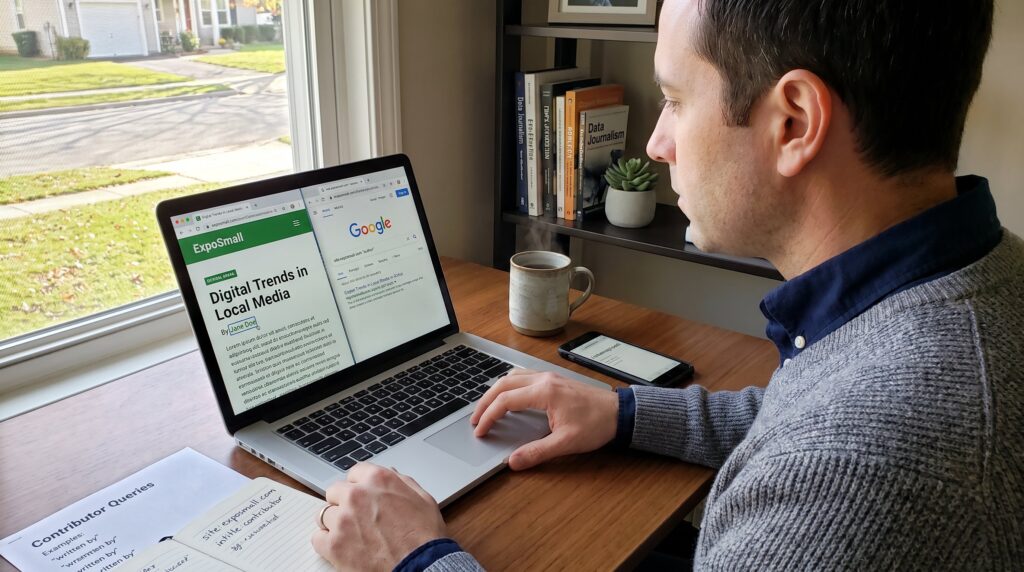
How to Find ExpoSmall Contributor Pages is a practical, step-by-step guide to locating author bios, contributor profiles, and submission links on ExpoSmall. Readers will learn where contributors live on the site, how to verify authorship, and quick search tactics that work in 2026. The guide sets clear actions: scan site navigation, inspect article bylines, use Google site search, and read author archives. It avoids fluff and gives concrete queries and link patterns to try immediately.
Key Takeaways
- Locating ExpoSmall contributor pages helps verify authorship and reveals the expertise behind articles on AI, business, and technology.
- Start by exploring site navigation, category pages, tags, and article bylines to find contributor profiles directly on ExpoSmall.
- Use Google site search with operators like site:exposmall.com and keywords such as ‘author’ or ‘contributor’ to uncover hidden author pages.
- Author archive URLs typically follow predictable patterns (e.g., /author/firstname-lastname/) and contain publication counts and bios, aiding topic specialization identification.
- When bylines lack links, use combined site and Google searches to find external profiles or submission details for better outreach and verification.
- Following these steps enables quick and reliable access to contributor information, improving research, verification, and networking on exposmall.com.
Why Find ExpoSmall Contributor Pages (Who Benefits And What You’ll Learn)
Fact first: locating contributor pages confirms who wrote an article and what they cover. Journalists, researchers, PR pros, and curious readers benefit. A journalist verifying a source can confirm credentials: a researcher measuring topic coverage can count contributor output: an organizer can contact a writer for an event.
Why this matters now: ExpoSmall covers AI, business, innovation, and tech. Knowing the contributor behind an AI piece can reveal bias, experience, or company affiliation. For example, seeing 12 articles by one author on machine learning signals a topical specialist.
Tangible takeaways: the guide teaches how to find author archive URLs, interpret bios for credentials, extract social or company links, and spot submission instructions. It also reduces wasted outreach, when contact links are present, outreach success rates rise. Readers will end the article able to pull author bios, count article totals, and locate submission paths on exposmall.com.
Quick Site Methods: Navigation, Categories, Tags, Search Bars And Sitemaps
Answer first: use the site itself before external search tools. Start at the navigation menu and look for About, Team, Contributors, or Authors. These pages often list author names and direct links to contributor pages.
Practical steps: open the main menu, then visit category pages such as AI, Latest Tech, or Innovation. Category pages group related posts and typically show bylines. Tag pages work the same way, click a topic tag (for instance “artificial intelligence”) to see all posts and the repeating author names.
Use the site search bar with precise terms: type an author name you saw in a byline or try “contributor,” “author,” or “about the author.” The search bar returns articles and sometimes profile pages. If the visible UI lacks a contributor index, check the XML sitemap, usually at /sitemap.xml or /sitemap_index.xml, and scan for author or /author/ paths.
Concrete example: a reader who wants authors writing about innovation can open the Innovation category, note repeated bylines, then click those names to reach contributor archives. This method reveals publication counts, recent posts, and related tags in under five minutes.
Related internal resource: those new to ExpoSmall’s topic range will find the site’s broader context useful: the guide links to an AI overview that explains the site’s focus and common subject areas.
Search Smart: Google Site Search And Advanced Operators
Direct answer: use Google site search and operators to surface contributor pages quickly. Google indexes many author and archive pages even when they are not obvious in the UI.
How to run searches: open Google and type queries that combine the site domain with contributor-related phrases. Use the site: operator followed by focused keywords such as author, contributor, “written by”, “about the author”, or intitle:author. These narrow results to likely profile pages or author archives.
Why this works: many CMS systems generate predictable paths (/author/username, /contributors/username) that Google crawls. Advanced operators reveal those pages even if navigation hides them.
Practical caution: Google results sometimes show cached versions or partial snippets. Open the result and confirm the byline and links on the live page. If a page returns 404, try removing trailing slashes or searching for the username elsewhere on the site.
Next section provides exact queries to copy and paste.
Find Authors From Article Pages And Author Archives
Quick answer: article pages are the most reliable gateway to contributor pages, read the byline, then click the linked author name. If the author name is not linked, inspect the article footer for an “about the author” box or click related posts to find consistent bylines.
Step-by-step: open an article on ExpoSmall. Look under the headline for the byline (it usually lists the author and date). If the name links, follow it to the author archive that lists all posts and a short bio. If the name doesn’t link, scroll to the end of the article where some sites add a profile snippet with bio and social links.
When archives exist: author archive pages usually have predictable URLs like /author/firstname-lastname/ or /contributors/username/. These pages list recent posts, categories covered, and sometimes total article counts. Use the archive to measure an author’s focus, count posts on AI versus business to see their specialty.
A real-world gotcha: guest contributors sometimes show only a plain byline with no profile link. In that case, copy the byline name and combine it with site search or Google site queries to locate any external profile or company page.
Additional internal context: readers wanting to understand how ExpoSmall organizes its coverage can consult a short overview of the site’s scope and sections in the site coverage write-up.
Conclusion
Insight: contributor pages are discoverable through site navigation, category and tag browsing, article bylines, and Google site search. The fastest path is often the article byline: the most thorough path uses the sitemap and targeted Google operators.
Final guidance: start with the article, click author links, confirm with archives and bios, and use the example queries to fill gaps. Armed with these steps, readers can verify who writes on ExpoSmall, find contact points, and map topic coverage quickly.